|
công cụ tìm kiếm bảng dữ liệu linh kiện điện tử |
|
|
công cụ tìm kiếm bảng dữ liệu linh kiện điện tử |
|
NA-RTSM bảng dữ liệu(PDF) 14 Page - Omron Electronics LLC |
|
|
|||||||||||||||||||||||||||||
NA-RTSM bảng dữ liệu(HTML) 14 Page - Omron Electronics LLC |
|
|
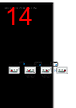
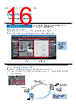
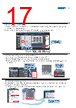
14 / 36 page  The specified page is displayed. Select the alarm and then click the Page Jump Button. The page to switch can be specified in each alarm setting. Korean The keypad is displayed in the language set in System Languages in the Sysmac Studio. Simplified Chinese Traditional Chinese Japanese OPERATE your machine - Comfortable to use Executing a subroutine with multiple threads Some subroutines require time due to repeated processing or waiting time. Even such a subroutine can be executed during screen update, without affecting operability and visibility. Page jump from user alarm The page to switch can be specified in each alarm setting. When an alarm occurs, you can check the troubleshooter screen by selecting the displayed alarm. Supporting Asian languages An Asian language - Japanese, simplified Chinese, traditional Chinese, or Korean - can be selected to use in the keypad of the NA Series. The keypad language changes automatically when the language is changed in the language settings. Local languages can be used to input the names of products when new recipes of the food packaging machine are added. Subroutine XX Dim I as Integer Dim Val as Integer =0 This process is repeated 100,000 times. The subroutine is executed in parts while the screen is updated. The subroutine is executed in parts while the screen is updated. For i=0 to 100000 Val=i Next For i=0 to 100000 Val=i Next For i=0 to 100000 Val=i Next 14 Bringing technology to life - NA Series, Machine Interface |
|
Link URL |
| Cho đến nay ALLDATASHEET có giúp ích cho doanh nghiệp của bạn hay không? [ DONATE ] |
Alldatasheet là | Quảng cáo | Liên lạc với chúng tôi | Chính sách bảo mật | Liên kết đến bảng dữ liệu | Trao đổi link | Tìm kiếm theo nhà sản xuất All Rights Reserved©Alldatasheet.com |
| Russian : Alldatasheetru.com | Korean : Alldatasheet.co.kr | Spanish : Alldatasheet.es | French : Alldatasheet.fr | Italian : Alldatasheetit.com Portuguese : Alldatasheetpt.com | Polish : Alldatasheet.pl | Vietnamese : Alldatasheet.vn Indian : Alldatasheet.in | Mexican : Alldatasheet.com.mx | British : Alldatasheet.co.uk | New Zealand : Alldatasheet.co.nz |
|
Family Site : ic2ic.com |
icmetro.com |
 Vietnamese ▼
 English
 Chinese
 German
 Japanese
 Russian
 Korean
 Spanish
 French
 Italian
 Portuguese
 Polish
 Vietnamese
 Indian
 Mexican
 British
 New Zealand