|
công cụ tìm kiếm bảng dữ liệu linh kiện điện tử |
|
|
công cụ tìm kiếm bảng dữ liệu linh kiện điện tử |
|
NA-RTSM bảng dữ liệu(PDF) 13 Page - Omron Electronics LLC |
|
|
|||||||||||||||||||||||||||||
NA-RTSM bảng dữ liệu(HTML) 13 Page - Omron Electronics LLC |
|
|
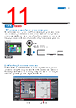
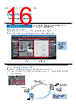
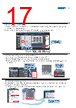
13 / 36 page  Setting, sorting, and filtering alarms Alarms can be set easily, reducing time and effort required for creating alarm screens. You can “sort” alarms by the preset item and “filter” by any keyword. The error location can be quickly identified from a large number of alarms. CSV ■Improved User Alarms Viewer ■Sorting ■Filtering The preset item is used for sorting. Select an item from the drop-down menu. The column width and title can be changed. The filtered alarms are displayed. You can quickly create the desired alarm screens. Select either ascending or descending order. Select the fault level to display. Select the item to sort. Broken-line graphs Data of variables and multidimensional arrays in the controller can be displayed as broken- line graphs. Broken-line graphs can also be cre- ated from the data in the CSV files saved in the SD card inserted in the NJ/NX/NY Controller by using subroutines (Visual Basic). You can spe- cify the display range of large array data, such as operation log, by setting the offset value. Scaling Scaling can be set for Data Display/Data Edit objects and global variables. Values of variables can be converted by specifying conversion expressions, which makes it easy to show data in the control- ler. Increases the compatibility with the controller. Touch the header to switch between ascending and descending order. Not scaled Scaled by specifying 1/100,000,000 Value of NJ/NX/NY variable: 10,000,000 10,000,000ns 0.1 seconds Multidimensional array Graph display range The offset can be specified from the start of the display range. 13 |
|
Link URL |
| Cho đến nay ALLDATASHEET có giúp ích cho doanh nghiệp của bạn hay không? [ DONATE ] |
Alldatasheet là | Quảng cáo | Liên lạc với chúng tôi | Chính sách bảo mật | Liên kết đến bảng dữ liệu | Trao đổi link | Tìm kiếm theo nhà sản xuất All Rights Reserved©Alldatasheet.com |
| Russian : Alldatasheetru.com | Korean : Alldatasheet.co.kr | Spanish : Alldatasheet.es | French : Alldatasheet.fr | Italian : Alldatasheetit.com Portuguese : Alldatasheetpt.com | Polish : Alldatasheet.pl | Vietnamese : Alldatasheet.vn Indian : Alldatasheet.in | Mexican : Alldatasheet.com.mx | British : Alldatasheet.co.uk | New Zealand : Alldatasheet.co.nz |
|
Family Site : ic2ic.com |
icmetro.com |
 Vietnamese ▼
 English
 Chinese
 German
 Japanese
 Russian
 Korean
 Spanish
 French
 Italian
 Portuguese
 Polish
 Vietnamese
 Indian
 Mexican
 British
 New Zealand