|
công cụ tìm kiếm bảng dữ liệu linh kiện điện tử |
|
|
công cụ tìm kiếm bảng dữ liệu linh kiện điện tử |
|
EV-RADAR-MMIC bảng dữ liệu(PDF) 6 Page - Analog Devices |
|
|
|||||||||||||||||||||||||||||
EV-RADAR-MMIC bảng dữ liệu(HTML) 6 Page - Analog Devices |
|
|
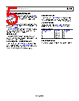
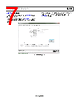
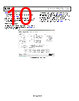
6 / 28 page  UG-866 EV-RADAR-MMIC2 User Guide Rev. B | Page 6 of 28 EVALUATION BOARD SOFTWARE The control software for the EV-RADAR-MMIC2 accompanies the EV-RADAR-MMIC2 on a CD. For the software installation procedure, see the UG-476 user guide, PLL Software Installation Guide. To run the software, click the EV-RADAR-MMIC2 file on the desktop or in the Start menu. On the Select Device and Connection tab, select EV-RADAR- MMIC2 (ADF5901, ADF5904, ADF4159) and click Connect. Confirm that SDP connected displays at the bottom left of the window on the status bar (see Figure 2). Otherwise, the software has no connection to the evaluation board. Note that, when connecting the evaluation board, it takes about 5 sec to 10 sec for the status label to change. Figure 2. Select Device and Connection Tab |
|
Link URL |
| Cho đến nay ALLDATASHEET có giúp ích cho doanh nghiệp của bạn hay không? [ DONATE ] |
Alldatasheet là | Quảng cáo | Liên lạc với chúng tôi | Chính sách bảo mật | Liên kết đến bảng dữ liệu | Trao đổi link | Tìm kiếm theo nhà sản xuất All Rights Reserved©Alldatasheet.com |
| Russian : Alldatasheetru.com | Korean : Alldatasheet.co.kr | Spanish : Alldatasheet.es | French : Alldatasheet.fr | Italian : Alldatasheetit.com Portuguese : Alldatasheetpt.com | Polish : Alldatasheet.pl | Vietnamese : Alldatasheet.vn Indian : Alldatasheet.in | Mexican : Alldatasheet.com.mx | British : Alldatasheet.co.uk | New Zealand : Alldatasheet.co.nz |
|
Family Site : ic2ic.com |
icmetro.com |
 Vietnamese ▼
 English
 Chinese
 German
 Japanese
 Russian
 Korean
 Spanish
 French
 Italian
 Portuguese
 Polish
 Vietnamese
 Indian
 Mexican
 British
 New Zealand