|
công cụ tìm kiếm bảng dữ liệu linh kiện điện tử |
|
|
công cụ tìm kiếm bảng dữ liệu linh kiện điện tử |
|
E53-R4R4 bảng dữ liệu(PDF) 12 Page - Omron Electronics LLC |
|
|
|||||||||||||||||||||||||||||
E53-R4R4 bảng dữ liệu(HTML) 12 Page - Omron Electronics LLC |
|
|
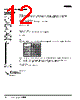
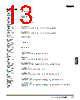
12 / 22 page  I-74 Digital Controller E5CK I Parameters Operation Level 0 Mode 0 1 3 0 0 0 s p - m 50.0 o c - o 50.0 r - 5 run PV/SV Set Point During SP Ramp Monitors the set point when the SP ramp function is used. MV Monitor (Heat) MV Monitor (Cool) Used when the Unit is in heating and cooling control operation. Run/Stop The process value is displayed on the No.1 display and the set point is displayed on the No.2 display. When the multi-SP function is in use, the value of whichever is set, set point 0 or 1, is linked. 1 off s e c r k e y p 0 1 2 34 xxx x xx x xx x xx x xx x 16.0 3 8. 8 Security A/M Key Protect Invalidate the function of the A/M Key. MV Manual Mode Set value Calibration Option Expansion Setup Level 2 Level 1, 0 Process value Manipulated variable MANU indicator Any mode marked with "X" in the following table is not displayed on the menu when this parameter is set to "0" to "3." The Unit will be in only level 0 mode and the menu will not be available when this parameter is set to "4" to "6." Only the "PV/SP monitor" and "set point" parameter can be used when this parameter is set to "5." Only the "PV/SP monitor" parameter can be used when this parameter is set to "6." |
|
|
Link URL |
| Cho đến nay ALLDATASHEET có giúp ích cho doanh nghiệp của bạn hay không? [ DONATE ] |
Alldatasheet là | Quảng cáo | Liên lạc với chúng tôi | Chính sách bảo mật | Liên kết đến bảng dữ liệu | Trao đổi link | Tìm kiếm theo nhà sản xuất All Rights Reserved©Alldatasheet.com |
| Russian : Alldatasheetru.com | Korean : Alldatasheet.co.kr | Spanish : Alldatasheet.es | French : Alldatasheet.fr | Italian : Alldatasheetit.com Portuguese : Alldatasheetpt.com | Polish : Alldatasheet.pl | Vietnamese : Alldatasheet.vn Indian : Alldatasheet.in | Mexican : Alldatasheet.com.mx | British : Alldatasheet.co.uk | New Zealand : Alldatasheet.co.nz |
|
Family Site : ic2ic.com |
icmetro.com |
 Vietnamese ▼
 English
 Chinese
 German
 Japanese
 Russian
 Korean
 Spanish
 French
 Italian
 Portuguese
 Polish
 Vietnamese
 Indian
 Mexican
 British
 New Zealand