|
công cụ tìm kiếm bảng dữ liệu linh kiện điện tử |
|
|
công cụ tìm kiếm bảng dữ liệu linh kiện điện tử |
|
M1EXV-4-R bảng dữ liệu(PDF) 4 Page - M-System Co.,Ltd. |
|
|
|||||||||||||||||||||||||||||
M1EXV-4-R bảng dữ liệu(HTML) 4 Page - M-System Co.,Ltd. |
|
|
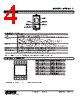
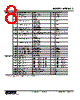
4 / 10 page  MODEL: M1EXV-4 M1EXV-4 SPECIFICATIONS ES-6040 Rev.2 Page 4/10 https://www.m-system.co.jp/ EXTERNAL VIEW Mode Button Set Button Display Configurator Jack Up Button Down Button ■ COMPONENT FUNCTION COMPONENT FUNCTION Display Indicates present values, setting values and abnormal information. Two types of present values are displayed respectively at the upper and lower parts according to setting. Mode button Shifts from Measuring mode to each setting mode. The destination changes depending on how long the button is held down. While in each setting mode, pressing Mode button shifts to the setting mode for the next channel. Pressing Mode button for ≥ 2 seconds returns to Measuring mode from each setting mode. In Measuring mode, shortly pressing the button shifts to the next screen. Set button Shifts the setting value of each setting parameter item to a setting changeable state. When at setting changeable state, used to move through the digits of setting value and to enter (save) the setting value. Up button Shifts through setting parameter items and to increase or select the setting value. Down button Shifts through setting parameter items and to decrease or select the setting value. Con gurator Jack Used to perform con guration with M1E con gurator software (model: M1ECFG). When using the software, set the Lockout setting of the unit to ‘Lock’. Refer to the operating manual (EM-6040-B) for detailed procedures of parameter settings. TERMINAL ASSIGNMENTS 5 10 1 6 7 2 3 4 8 9 15 20 11 16 17 12 13 14 18 19 No. FUNCTION No. FUNCTION 1 Ch3 Input + 11 Ch1 Output + 2 Ch3 Input – 12 Ch1 Output – 3 Unused 13 Ch4 Output + 4 Ch1 Input + 14 Ch2 Output + 5 Ch1 Input – 15 Ch2 Output – 6 Ch4 Input + 16 Ch3 Output + 7 Ch4 Input – 17 Ch3 Output – 8 Unused 18 Ch4 Output – 9 Ch2 Input + 19 Power + 10 Ch2 Input – 20 Power – * Base does not come with the unit. Please order separately. |
|
|
Link URL |
| Cho đến nay ALLDATASHEET có giúp ích cho doanh nghiệp của bạn hay không? [ DONATE ] |
Alldatasheet là | Quảng cáo | Liên lạc với chúng tôi | Chính sách bảo mật | Liên kết đến bảng dữ liệu | Trao đổi link | Tìm kiếm theo nhà sản xuất All Rights Reserved©Alldatasheet.com |
| Russian : Alldatasheetru.com | Korean : Alldatasheet.co.kr | Spanish : Alldatasheet.es | French : Alldatasheet.fr | Italian : Alldatasheetit.com Portuguese : Alldatasheetpt.com | Polish : Alldatasheet.pl | Vietnamese : Alldatasheet.vn Indian : Alldatasheet.in | Mexican : Alldatasheet.com.mx | British : Alldatasheet.co.uk | New Zealand : Alldatasheet.co.nz |
|
Family Site : ic2ic.com |
icmetro.com |
 Vietnamese ▼
 English
 Chinese
 German
 Japanese
 Russian
 Korean
 Spanish
 French
 Italian
 Portuguese
 Polish
 Vietnamese
 Indian
 Mexican
 British
 New Zealand