|
công cụ tìm kiếm bảng dữ liệu linh kiện điện tử |
|
|
công cụ tìm kiếm bảng dữ liệu linh kiện điện tử |
|
LM6800AGW-6 bảng dữ liệu(PDF) 7 Page - Shenzhen TOPWAY Technology Co., Ltd |
|
|
|||||||||||||||||||||||||||||
LM6800AGW-6 bảng dữ liệu(HTML) 7 Page - Shenzhen TOPWAY Technology Co., Ltd |
|
|
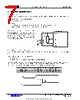
7 / 10 page  TOPWAY LCD Module User Manual LM6800AFW-5 URL: www.topwaydisplay.com www.topwaysz.com Document Name: LM6800AGW-6-Manual-Rev0.1.DOC Page: 7 of 10 4. Function Specifications 4.1 Basic Setting To drive the LCD module correctly and provide normally display, please use the following setting Display start line (Z address)= 0 LCD Display = on Note: These setting/commands should issue to all controllers while start up. See the Display Control Instructions section for details. 4.2 Adjusting the LCD display contrast A Variable-Resistor must be connected to the LCD module for providing a reference to V0. Adjusting the VR will result the change of LCD display contrast.The recommended value of VR is 25k to 50k 4.3 Resetting the LCD module The LCD module should be initialized by setting /RST terminal at low level when turning the power on. When /RST pull low, the LCD module will: - Display off - Display start line register becomes 0. (Z-address=0) While /RST is low, no instruction can be accepted except status read. Therefore, execute other instructions after making sure that DB4=0 (clear /RST) and DB7=0 (ready) by status read instruction. The conditions of power supply at initial power up are as follow: Item Symbol MIN. TYP. MAX. Unit Reset time trs 2.0 - - us Rise time tr - - 150 ns LCD module VOUT V0 VSS VDD VR |
|
|
Link URL |
| Cho đến nay ALLDATASHEET có giúp ích cho doanh nghiệp của bạn hay không? [ DONATE ] |
Alldatasheet là | Quảng cáo | Liên lạc với chúng tôi | Chính sách bảo mật | Liên kết đến bảng dữ liệu | Trao đổi link | Tìm kiếm theo nhà sản xuất All Rights Reserved©Alldatasheet.com |
| Russian : Alldatasheetru.com | Korean : Alldatasheet.co.kr | Spanish : Alldatasheet.es | French : Alldatasheet.fr | Italian : Alldatasheetit.com Portuguese : Alldatasheetpt.com | Polish : Alldatasheet.pl | Vietnamese : Alldatasheet.vn Indian : Alldatasheet.in | Mexican : Alldatasheet.com.mx | British : Alldatasheet.co.uk | New Zealand : Alldatasheet.co.nz |
|
Family Site : ic2ic.com |
icmetro.com |
 Vietnamese ▼
 English
 Chinese
 German
 Japanese
 Russian
 Korean
 Spanish
 French
 Italian
 Portuguese
 Polish
 Vietnamese
 Indian
 Mexican
 British
 New Zealand